Close

dLook Help

How to Get a Quote

Open up any of the dLook category pages via our home page category links or by entering a search word, area or distance. You may then refine the area of interest for products or services on the Category Page by entering more details in the search system top Search Bar. To get closer vendors you can enter your postcode/suburb in the Where box and then where you wish to seek quotes from in the How Far search radius box. Thus if you were seeking services or products within a city or town, select an approximate radial distance, if over 200Km then select State and Interstate select National.

Staying on the category page in the top left corner of each of the shortlisted results is a tick box. Just select one or more of the vendors (max 5) you would like to send a free quote request to and once you have selecting then press Quote Me!

Next you'll see "Request Free Quote" form. Here you will see a list of all the vendors selected with short descriptions. At this point you can again refine your vendor selection in Step 1 but normally you should just go to Step 2 and fill out your details as requested and enter your quote request clearly written with your contact details as this will be sent off to the selected businesses via email. If you wish to receive a copy of each email sent for your records then tick the email box Email me a copy of this request. A copy will be sent to you for your own records if you tick the request box and dLook will forward the individual quote requests to each selected vendor who can now separately reply to your private free quote request.

To ensure a timely response nominate your quote expiry time to let the business know how long they have to respond.

Once you have completed your details and the description of the service or product requested you can click on the Send my Quote Request button and quote requests will be sent to each vendor selected.

QuoteMe™ is an easy to use quote system and is offered as a free service for all dLook users - however, dLook are unable to ensure that all quotation requests will be answered by the vendor.

Close

dLook Premium Listing

Finance for Equipment Trucks & Trailers
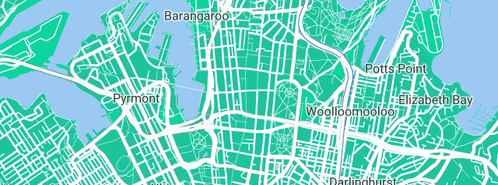
Address:
Sydney NSW  2000
Phone:
1300 886 131
Web:
www.dlook.com.au/business...

Equipment Finance

Finance for Equipment Trucks & Trailers logo

Equipment, Truck & Trailer Finance & Leasing Options Sydney

Proudly Servicing Australian Businesses Australia Wide.


  • Same day approvals
  • Access to over 30 lenders
  • No Deposit Finance (tap) 
  • Low rates and flexible terms
  • Residuals Available (tap) 
  • Helpful, experienced team


Certifications:

Access to over 30 Bank, Non-Bank and Private Funders Australia wide

Products:

Commercial Hire Purchase
Chattel Mortgage
Lease
Sale Hire Back
Master Lease
Operating Lease
Novated Lease
Fully Maintained (Novated) Lease

Services:

Finance (loans), Leasing and Insurance Options For;
Business Equipment Finance
Heavy Machinery finance
Plant and Equipment
Trucks and Trailers finance
Vehicle loans
Boat loans
New Businesses (Start Up) funds
Working Capital
Equipment Refinance (Equity Release)
Vendor Finance

Categories:

Finance Brokers
Business & Investment Finance
Industrial Finance
Motor Vehicle Finance

There are no reviews for this business.

Parramatta Home Loans - Mortgage Broker Parramatta

Rob said on 15th Jul 2011:

if you're a first home buyer and need a home loan don't look for advice anywhere else. these guys couldn't of helped me more! Rob, Parramatta.

Value:5 starsService:5 stars

Mortgage Choice Specialist Home Loans Sunnybank

Rob said on 15th Jul 2011:

Without the staff at Mortgage Choice Camp Hill I wouldn't have been able to get my home loan approved. The staff are just amazing and really care. 5 stars!!

Value:5 starsService:5 stars

Home Loans Adelaide

Bill said on 13th Jul 2011:

I easily got my first home loan with Arndale Finance Adelaide. Great people that really care and want to help.

Value:5 starsService:5 stars

  dLook Top 100 dLook Top 100