Close

dLook Help

How to Get a Quote

Open up any of the dLook category pages via our home page category links or by entering a search word, area or distance. You may then refine the area of interest for products or services on the Category Page by entering more details in the search system top Search Bar. To get closer vendors you can enter your postcode/suburb in the Where box and then where you wish to seek quotes from in the How Far search radius box. Thus if you were seeking services or products within a city or town, select an approximate radial distance, if over 200Km then select State and Interstate select National.

Staying on the category page in the top left corner of each of the shortlisted results is a tick box. Just select one or more of the vendors (max 5) you would like to send a free quote request to and once you have selecting then press Quote Me!

Next you'll see "Request Free Quote" form. Here you will see a list of all the vendors selected with short descriptions. At this point you can again refine your vendor selection in Step 1 but normally you should just go to Step 2 and fill out your details as requested and enter your quote request clearly written with your contact details as this will be sent off to the selected businesses via email. If you wish to receive a copy of each email sent for your records then tick the email box Email me a copy of this request. A copy will be sent to you for your own records if you tick the request box and dLook will forward the individual quote requests to each selected vendor who can now separately reply to your private free quote request.

To ensure a timely response nominate your quote expiry time to let the business know how long they have to respond.

Once you have completed your details and the description of the service or product requested you can click on the Send my Quote Request button and quote requests will be sent to each vendor selected.

QuoteMe™ is an easy to use quote system and is offered as a free service for all dLook users - however, dLook are unable to ensure that all quotation requests will be answered by the vendor.

Close

PROPERTY INVESTMENT AUSTRALIA

Address:
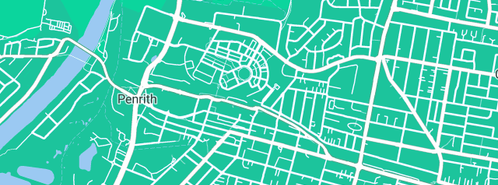
Penrith NSW  2750
Web:
www.dlook.com.au/business...
5 stars
Rating 100% - 3 reviews

PROPERTY INVESTMENT AUSTRALIA logo

For further Investment Services services or products information including fixed interest, investment services or planning or other requirement please either email PROPERTY INVESTMENT AUSTRALIA anytime or call on phone during normal hours.
Real Estate Listing Services Real Estate Advisory Services Real Estate Agents

View similar businesses near: Penrith, NSW

Investment Services

said on :

Good people to deal with. Highly recommend +++++

Value:5 starsService:5 stars

said on :

After buying our first 2 investment propertys ourselves, we decided to see if an investment property specialist could be of any use to us for our third property. We met Steve through friends which had bought through him and we found him to be very very helpful. The properties he showed us were well priced, with good rentals and good growth potential. We ended up buying our third property through Steve and we are very happy with the result.
Ian & Jane W.

Value:5 starsService:5 stars

said on :

Steve made the process of finding, financing and buying an investment property very easy for us. We are now talking to him about our next one.
Susan

Value:5 starsService:5 stars

Debt Reduction Notting Hill

said on :

Thank you so much for your program. We did not realise how simple it was to organise our finances. Within 18 months we were fully back on track and now have a far better budget in place that is allowing us to save for our own home

Value:5 starsService:5 stars

Regent Markets Pty Ltd (Australia)

said on :

Been with these guys for a while now. About 9 months. Good service, decent value for money. Not bad at all.

Value:4 starsService:5 stars

ACCP International Pty Ltd

said on :

Value:1 starsService:1 stars

  dLook Top 100 Advertise with dLook