Close

dLook Help

How to Get a Quote

Open up any of the dLook category pages via our home page category links or by entering a search word, area or distance. You may then refine the area of interest for products or services on the Category Page by entering more details in the search system top Search Bar. To get closer vendors you can enter your postcode/suburb in the Where box and then where you wish to seek quotes from in the How Far search radius box. Thus if you were seeking services or products within a city or town, select an approximate radial distance, if over 200Km then select State and Interstate select National.

Staying on the category page in the top left corner of each of the shortlisted results is a tick box. Just select one or more of the vendors (max 5) you would like to send a free quote request to and once you have selecting then press Quote Me!

Next you'll see "Request Free Quote" form. Here you will see a list of all the vendors selected with short descriptions. At this point you can again refine your vendor selection in Step 1 but normally you should just go to Step 2 and fill out your details as requested and enter your quote request clearly written with your contact details as this will be sent off to the selected businesses via email. If you wish to receive a copy of each email sent for your records then tick the email box Email me a copy of this request. A copy will be sent to you for your own records if you tick the request box and dLook will forward the individual quote requests to each selected vendor who can now separately reply to your private free quote request.

To ensure a timely response nominate your quote expiry time to let the business know how long they have to respond.

Once you have completed your details and the description of the service or product requested you can click on the Send my Quote Request button and quote requests will be sent to each vendor selected.

QuoteMe™ is an easy to use quote system and is offered as a free service for all dLook users - however, dLook are unable to ensure that all quotation requests will be answered by the vendor.

Close

Sagarmatha Nepali Restaurant Adelaide

Address:
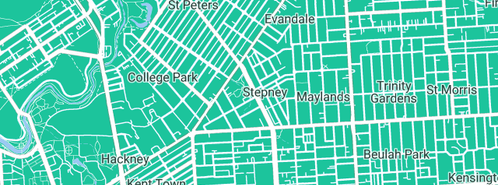
62-64 Payneham road
Stepney SA  5069
Phone:
(08) 8363 6291
Fax:
(08) 8383 6201
Mobile:
(0412) 347 905
Email:
Click here to email
Web:
www.sagarmatha.com.au

Sagarmatha Nepali Restaurant Adelaide logo

Come and visit us! Experience Nepal in Adelaide!

“Sagarmatha is the first authentic Nepalese restaurant in Adelaide.

We serve authentic Nepalese cuisine as well as some popular south Asian regional dishes.

Our menu features authentic Nepali dishes. We also serve popular South Asian meals including Curries, Tandoori dishes and Roti breads from the Sagarmatha charcoal clay oven. Vegetarian meals are also available.

Many South Australians have visited Nepal to trek the Himalayas and experience the unique beauty of the only Hindu Kingdom in the world.

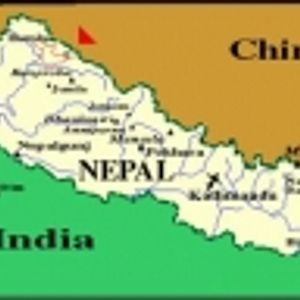
With a land mass about the size of Victoria, Nepal is geographically situated between Tibet and India. With a population of almost 27 million people and there are many different ethnic groups.

This ethnic diversity, together with culinary influences from India, Tibet and China, has produced a unique range of local dishes.

We invite you to come and try them.

Take Away Food Other Restaurants Indian Restaurants

Trading Hours for Sagarmatha Nepali Restaurant Adelaide:

5.30pm till Late 7 Days. Lunch Thursdays & Fridays 12.00-2.00 PM with bookings.

Payment Options:

visa, mc, cash

View similar businesses near: Stepney, SA

Nepalese Restaurants

There are no reviews for this business.

  dLook Top 100 dLook Top 100